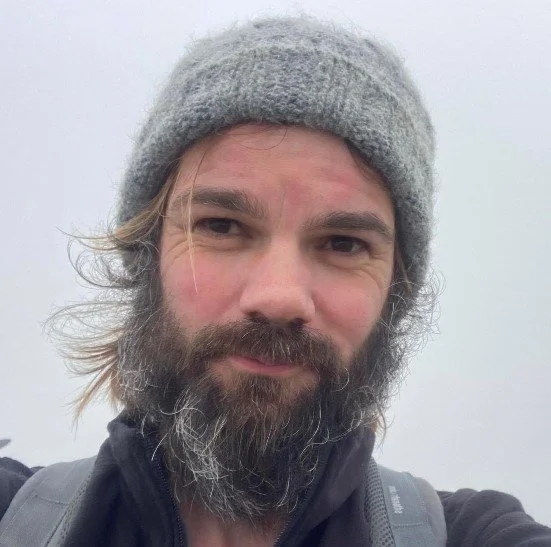
Aerial imaging to record and view archaeological excavations in space and time
Description: Dr David Brownrigg discusses how imaging, particularly aerial, can enrich the visualisation of archaeological sites and some of the ways this can be achieved.
Transcript: So, good evening everybody. Thank you for joining us. I hope you're all keeping well and have had a great month so far. Thank you for joining us on the eighth of our series of online talks for the Kent Archaeological Society. Now, an important note to begin with, I'm a little bit worried that our mailing list is not appearing correctly online because I'm sorry to say that Jacob and I didn't receive any of your Valentine's cards last week. Um, so I'm not sure what is going on there, but we have put the the address up on on the the website, so you can find it there for next time. We do both like chocolates as well, just uh just in case you're thinking of that. Anyway, so as always, we hope to avoid any technical issues, but please bear with us if there are any problems. Jacob and I are supposed to be on annual leave. Um, but our dedication to spreading the incredible wealth of heritage studies in Kent means that we are both here and we did not want to miss tonight's fantastic talk. If you're not a member of the society, please do think about joining us. It works out only £330 a month and for that you will receive a copy of our yearly journal Archaeologia Caniana full of the most current historical and archaeological research of the county. You'll also receive our bianual magazine, regular newsletters, exclusive access to our collections, conferences, and selected events, opportunities to get involved in excavations and research projects, and she will allow us to keep putting out content such as these wonderful online talks, outreach in schools, community groups, seminars, and we hope to bring Kent history to everyone. Do check the website for details on how you can become a member. So, housekeeping, we'll just quickly run through. Um the talk will last about an hour after which we'll have time for questions if you have any. Please keep yourselves on mute with cameras off throughout so that we can hear our speaker clearly. During the Q&A you can either use the raise hand feature and we will unmute you when it's your turn to ask your question personally. Or if you prefer you can type your question in the chat box and we will read it out for you. I hope it goes without saying but please be courteous and polite to our speaker and to each others. Don't mind. We will be recording the session and it may be posted to our video channels in the future but no personal data will be shared and if you ask a question but would prefer it not to be published uh just send us an email saying so and we'll make sure it's not included. So on to our speaker Dr. David Brown is a visiting research fellow at Goldsmith University of London. Formerly course director of computing programs for foreign students. He's worked as a lecturer and researcher at universities in several countries including Jamaica and the USA and also for Shell research and the Royal Observatory Edinburgh. He has degrees in computer science, astronomy and mathematics including a PhD in the computer modeling of spiral structure in galaxies which sounds absolutely incredible. Very cool. uh he's a UK chartered engineer, a member of the British Computer Society, and a fellow of the Royal Astronomical Society. Now, I'm going to mention these because I am completely in awe um at this. David's past research interests include automated database systems integration, nonlinear image filters, image feature separation, image processing for computer art, creaseless fractal terrain simulation, shape modeling and fractal texturing, simulation of galactic evolution, tunnel lining stress analysis, molecular property prediction, numerical solution of differential equations and spatial dichconomy. More recently, he has explored novel imaging processing methods as aids for artists, technical aspects of lossy image compression using multiple transforms, and most importantly, of course, aerial imaging for the Kent Archaeological Society, which I'm sure we'll feature in tonight's discussion. David has braved all weathers and terrains to assist the society with aerial imaging work and we are delighted to welcome him here tonight for this fascinating talk on aerial imaging to record and view archaeological excavations in space and time. So if I can ask you all just one more time to keep your videos um your videos and your microphones are switched off during the duration of the talk and David my friend it is over to you. Uh just press share. Oh, there we go. Everybody's seeing things. I hope it's just that. Come on. Oh, now it's started. I'll just put up a laser pointer so in case I want to point to anything. Okay. Well, thank you. Uh, very kind introduction. Trouble is, I it's somewhere in the background of what I write. If there seems to be a lot there, it's because I've just been around a long time and you tend to do a few different things. So, thanks for the kind introduction. The talk breaks into a number of parts, three or even four. And I'm hoping that at least one part for everybody will be not too familiar. So it's not all things you already know about. the fact that my background includes things like what's generally known as computational physics which includes the galactic dynamics bit and tunnel engineering um and also things to do with image processing applied in various areas sort of means I take a certain line with my presentation with an emphasis on the imaging for archaeology and how the images are made and then looking at the results of working with Kent Archaeological Society on the imaging of some investigations last year. There is a little bit of my talk that might seem a bit technical, but don't worry, the math is lowlevel and you don't really need it because I have pictures to cover things. But I really would like to convey a flavor of what's involved in making images that are now so much part of what archaeologists see. All the pretty pictures of interactive 3D and other kind of views come with a lot of work behind them and based on a lot of images. uh I think for one site by the time the processing had happened there were well over a quarter of a million images generated within the packages from the thousands I gave it to work on. So as you can see some of my slides have quite a bit of text. It's not intended you read it. The idea is that rather than me constantly looking to one side at notes I can see what I want to talk about on screens. I'll be talking around what appears on each side. So, as I say, central to the presentation is how we make what are called standard map views. And when we think of a map like an ordinance survey map, we are essentially looking vertically down on every point on the map rather than at an angle. And also, the interactive 3D views grow out of this that we're used to doing. So you can move around an object and see how it's behaving. The essence is though because one's gathering the data with a drone with a good camera, you end up with images which are very much more detailed than you can get from satellitebased cameras which give you much wider areas and quite a lot of detail but not as much as you can get low down. The important thing is that you can layer uh an image you generate with fine detail over a background from another source or mix sources so as to get more information. So as I say work I looked at that was being done on the lease court estate last year um is going to be the main later part where I illustrate everything else I'm talking about. So presentation order background. I'll show a few pretty pictures just because it's relevant to see how this whole thing of aerial imaging came about. But I won't be dwelling on that. That could easily make several talks by itself. Obviously, this includes things to do with satellite data and cameras that are born, aircraft born, not only standard aircraft, but drones as well. When we look at these pictures, often we don't think how it's all happening. When we look at things just with our eyes, our brain's doing a lot of work. If we're going to make pictures, they're going to be generated by some kind of computer modeling process using software and it'll generate a 3D or a 2D view which is then somehow projected onto the screen, the screen you're looking at now. And then we look at that and how we interpret that. It's as well to remember that because there's so many different ways that images are now presented to us. Essentially the core of it all is to gather lots what are called program surveys. We get lots and lots of images that overlap and then we try and identify things that are in them build 3D models and then map texture onto that to provide a nice map at the end and then all of that's illustrated as I say looking at the results that I managed to get for Kent Archaeological Society last year. So background let's it's always as well to remember that a lot of work went and this has developed over a long time a photographer known as Nadia did the first images from the air in 1858 his very first ones are now lost it wasn't a trivial job for him because he used a photographic process where you had to make up the plate just before you used it so he really had had a large part of a photographic laboratory in the balloon moon basket with him. It's not an easy job. The important thing, as far as we're concerned, is to note that it's fairly typical of many images you see for illustration. You're looking downwards and sideways, an oblique view. We're not looking straight down or anything, but we have height so that we can see a long way off and see a lot of detail. Perhaps the first images taken in the UK in this way were by balloon. uh a tethered balloon and featured Stonehenge. If you look at the attribution Royal Engineers, this tells you a lot about what drove a lot of this image making. If you could get over an enemy or somebody else and take pictures of them, you could find out what they were doing. And so obviously all branches of the forces were interested in that from the start. Again, an oblique view sideways and downwards. But even when you can get straight down and this is from the same series again a balloon view right in the middle the camera is pointing straight down but because it's from a limited height you're essentially looking sideways at part of the structure so you can see parts of the sides of the standing stones. So it's not a standard map view. You aren't looking straight down on every point. And trying to do this is very useful for illustration and research and publication. And as I say, it takes quite a lot of work. Now, one of the fun ones for those who don't know it, even those who do, people tried lots of ways of taking these images, including strapping cameras to pigeons who hopefully would return and a time trigger for the picture. But of course, you couldn't do much about controlling what actually happened. also quite low level. So you see as it were the south side of a building here and the north side of another building here. But what you got was very ma much a matter of luck and an interesting experiment. Far more important to the development was things that arose particularly from Cody of the Wild West show. He experimented with very big kites. So a kite of this kind could be launched with a camera underneath it with a time trigger or other remote release. And he also got into very big kites that could take people up and then they could take a camera with them and choose what they actually photographed. Again, as I say, looking at the attribution from the Imperial War Museum's collection, this is again an emphasis on what drove the finance for this. And of course, ships were in the Navy was interested in this because before the days of radar, you were limited in your horizon by how high up you could get, which is why you had people up tall, masters, lookouts. But with a balloon, uh, sorry, a man lifting kite, you could get far further up. Here is the tether line. And of course, ships have a great advantage. They're big and heavy and not easily dragged about and are used to having big winching systems on them that will help. Of course, other people are interested in uh other forces were this is a sample photograph that seems to come from a German pilot flying over Kent and taking an intelligent picture. So, and we were doing the same thing in the UK. uh Chapel Crawford was very important of the in this from the first world war and then later did a lot of development of aerial imaging including for the ordinance survey. When you go further up I wanted to illustrate the difference between a proper map view and something which is more or less a parallel looking straight on everywhere but not straight down. So this is Google Maps and zooming in on a little bit of a map area and this is Canterbury Cathedral, but you can see the side of it. So we are certainly not looking straight down, but essentially if you're hundreds of miles up and looking at a small area, you're looking more or less in parallel at every point of it, but not straight down in general. Rockets important. They were tried from early on with with some kind of time trigger for taking a photograph. Uh my son even had one when he was about nine of a simple sort. But of course rockets then went further up and this is a sample of a picture taken in the mid50s from about 65 miles up. Again an oblique view and high enough to begin to show the curvature of the Earth there. And of course satellites going up even further cameas further up. So there's a long history of it. I'm focusing on a very small part of this using small drone hardware and some kind of software set of software to do things with pictures I gather. So I'm only looking in the visible spectrum. Things for discovery of new sites very often depend on near infrared and with covered areas you need things like lidar. But if you're just looking at a site already under investigation, you really want decent photo records and m making from that. So this little drone amiable little thing, but it's got a 48 megapixel camera, can take 4K video. It's got object detection, so it doesn't bump into into things too often. Importantly, because it's so light, you can go near and over people without I as a pilot could do that without special permissions, special insurance, and special extra qualifications. And this makes it very flexible for use on sites where people are working. And it allows programmable flight plans. I can set it up to take patterns of pictures, take orbit videos, sets of pictures, hyperapse, taking a set of pictures along a path and so on. So typically I will gather hundreds of pictures in one go and then process them. And this is done there's some software from a company called Drone Link which lets me make flight plans. they they run on my mobile phone which then attaches to a drone controller and runs the drone and after that I've got all the pictures and I've used two kinds of software to process it both uh freely available. These are um not pay as you go or have pay subscription software and they're developed by enthusiasts. So they are good. WebODM has proved to be very good for gener generating all the mosaics or the normal map views or for immediate area looking at the whole site interactive 3D and I'll come back to that later. Another package form mesh room is quite good for wider area 3D views. So start with something that's not archaeology. Just up the road here's homeill village hall. Here's a standard oblique general view showing a bit of a village hall, bit of a car park and a bit of a play area. And I then flew a flight plan over it which is summarized down there. Red dots mean where the camera was. Here's a typical it's pointing straight down what's called a Nadia view. So in the middle it's pointing straight down but clearly you can see the sides of things elsewhere. Roughly speaking because of the camera lens it's got the distance diagonally across the picture is roughly the same as the height of the drone. But using all these pictures I can make up a proper 2D map looking straight down. And there's a sample of what one gets from this area. And now you can see that we are looking straight down on the roof of the building and the cars. Also coming out of this in the process you make three you get not only 2D horizontal and northsoutheast west position that are accurate. You also get height information and you can use that for making elevation maps. In this case, it also includes simulated side lighting. So very briefly look a bit more of that. So slightly larger scale. The 2D map comes out of it. And this is merely a summary of how the drone flew. Every red triangle marks a point where it took a picture doing 83 pictures in this case. And here again emphasizing one thing. A lot of the early history of aerial archaeology from planes took advantage of the fact that in the early morning late evening you'll get angled lighting low-level lighting and this helped throw up relief on features. So a little feature of this elevation map is it simulates what would happen if you had low-level lighting coming in from the side to help throw up in relief objects in the scene. And again pointing out that one drone image pointing straight down there but everything else is sideways on whereas not for the proper map view. Tiny bit diagrams are enough here but if you can remember your GCSE mathematics and certainly nothing much more needed you may remember the tangent function. If you've got a right angle triangle, the tangent of A is means take the length of the opposite side over divide by the length of a shorter neighboring side and that's called the tangent of the angle. And it turns out to be useful. Something called Pythagoras is simply the square on the hypotenuse is the sum of the squares on the other two sides. That turns out to be useful. All most people have come across a bell-shaped curve or normal distribution or Gaussian distribution. And anybody who's used Photoshop to do any image blurring or processing will know that there's Gaussian function that merely blurs the image and there are particular reasons to do using that for all sorts of theoretical reasons. We will not get near covering but essentially if we look at the blue curve that means things are strongly peak near where it is. So you'd only do a tiny bit of blurring and a wider red curves means spread things out more and do more blurring. And this corresponds to a little variation or a lot of variation such as a spread of heights or weights in a population. So if everybody's nearly all the same height, you get the blue curve. If there's lots of short and lots of very tall people, you would get the red curve. That's all we need from there. How do we this thing about how we see is very important because we're looking at screens. We're looking at things that have been made. So really simple way of starting. Here's an eye seen from the side. Here is a computer screen seen from the side. Here is a simple object. And if it's close to the eye, it makes an angle at the eye which is quite big compared to the angle made by the same object when it's further away. And that means we get our part of our sense of depth comes from knowing what objects are and seeing how they look to us. And likewise, a bigger object further away can look the same size as a smaller object close to. And that as most people know in means eclipses can work. The moon is much smaller than the sun but it's much closer to so when the moon gets between us and the sun it just covers it up for a few minutes. Dwelling on this I'm afraid for a little bit longer. Here is a view we will investigate to think about how views are seen. This is seen from the side a wireframe cube. And essentially we can see the black wires that make it up. And then the eye looking at this, if this is a computer model, it will be projected rendered onto a screen. And the blue outline is your computer screen seen side on. So the big front square of the cube projects to the bigger of the squares on the screen. and the further away one objects to the smaller square. What does the eye actually see? So for this kind of scene, if we think about this being our computer screen edge, the big square is the front one and when we know we are looking at a cube, that's how we see it and the rear square is the smaller one. But we all know about zoom lenses by and large if not from straightforward photography from using phone cameras and so on. So if we get closer to something we may want to use a wider angle lens for it. And if we do that it accentuates the difference between what's close to us and what's further away. So proportionally now if we do that move the eye closer the eye is now proportionally closer to the front face of the cube and proportionally further away so that the if we repro so the front face is the same size the rear face will look smaller. So that's as it was. That's when we get closer and use a f a short we zoom out shorter focal length lens. Correspondingly if we look from further away as we would be doing if we try and look from an aircraft and eventually up to a satellite the proportional difference in distance gets smaller. And so again I'm doing what I do with the zoom lens. I am moving further back and then zooming in. So the front face of the cube is fits the screen in the same way. As I go further away, it gets the difference proportional difference between the front and rear faces gets less and less. And you may have noticed with an extreme telephoto view, say used by nature photographers, very often the subjects in focus and things that are quite a long way behind or in front of the animal being photographed still look quite close to it. And that's because the proportional difference is small because the photographer is so far away. Keep going to the limit of this. We're drawing our squares as little lines or not pure lines, but lines with a thickness. If I go far enough away, they'll overlap. And essentially, I'm looking from infinity. And that's what's called an orthographic view. And that's what you want when you're making maps. So, summary, close views, perspective, good for 3D and interactive generally. Orthographic views good for making standard maps, but at the same time, you get information about depth and that can give you elevation maps, which are very useful when looking for features. So, let's finally get to a dig. Here we are. The Lecort uh estate last year. One of the sites was on Stringman's Field and the excavation period was midappril through to the beginning of the second week in June. Here's a sample photograph just using the drone. Gone up bit over 300 ft. So that's also about the distance diagonally across a picture looking straight down. But clearly even here because that's a substantial different distance off center. You can see the sides of the uh hut and tend. My drone can fly patterns. So essentially I set it to fly a pattern going going north south north south shuffle across a bit each time taking about 200 shots on one flight over the site and correspondingly here this is the corresponding picture where each little red dot shows where the camera was when it took a picture. going to zoom in now a bit and look at a feature that had already been excavated by the end of April which included a little pit in this area and the drone was flying up and down taking pictures. So when the drone was flying to the left or west of the pit, the pit appears to the east. And when for example the drone was south of the pit, the pit appears up a bit from the center to the north of where the drone was. So all of these pictures have something of that pit in them. And if I was trying to get information about the feature in the feature, the pit and its depth, all of these pictures could be of help. So let's go down a bit closer. Here are two images. the two images where this one's just above the pit more or less and this one taken from the west shows the pit slightly to the east of it. These images are quite detailed. They're over 4,000 pixels wide each. So looking at things at the pixel level get isn't really possible. So I'm just to show an example I pick out a little region of about 360 pixels square from each one. You can see here we're looking down if not slightly from the right and here we're looking down into the onto the little pots and the pit uh from the left. Mostly this works about brightness levels and so it's easier to look at a black and white version of this image. Now what's going to happen is that for every image a lot of work is done and then all the images are compared to try and find out common features and work out information about exact positions horizontally and vertically. So behind all this I won't go into this in detail there are many ways of doing this. Uh this one I'm talking about is scale invariant feature transform dates back quite a long way. There have been improvements but it's still seinal in its way. Lots of things relate to it and only minor improvements from it and it's still embedded in many software that do this work. So those are the papers and they will of course be posted when the talk is. There are some slightly more approachable summaries uh that are less formal and there's two of them. They focus these two focus on slightly different emphases on different parts of the whole process. So one could look at both and learn something. So let's go back to what's going on. It is important to understand that Gaussian blur images are core to all this and how we process them. It turns out these are very good at helping identify critical points in an image. So here remember again blue curve if I use that you get a little blur red curve you get lots of blur. So there is the sample pot pots bit with a pit out of one of the images and that's a blurring of it. But a lot more goes on. way it works and what works out is that you take one of these images and you blur it successively more and more. And what helps pick out interesting things going on is to take the difference. You take the numbers number at each pixel which represents a brightness and the number that represents a bright brightness in the other image at the same point and you subtract one from the other and what comes out is a difference of Gaussians. So for each image and a more blurred version and a more blurred version you take the difference. So we end up with different images different degrees of blurring. Now it's going to be scale invariant. Things in a picture can change distance, change apparent size between images. So we need to be able to cope with that. So one way it does it is to say, well, if I'm doing it 360 squared, I'll do it for 180 squared, 90 squared, 45 squared, etc. And that's the 180 squared version. And already we can see that applying the same level of blurring to a smaller image smears it out more than it did here with the 360 squared one. So more blurred now. Go straight to the 45s and nearly everything is pretty well blurred out here. We got very small images and a lot of blurring. But even so, one's still getting something coming out of the differences right down. And then if we go to these three images, each one 45 pixels square a difference of Gaussians. The cool thing that turns out to be important is if we can find a pixel in this image and compare it with its eight immediate neighbors and the nine neighbors coming from a slightly less blurred image at the same place. the nine im nine pixels at the slightly more blurred image, we've got a pixel and its 28 neighbors. And if that pixel brightness is either more than all its neighbors or less than all its neighbors, then it's significant in the sense it's worth investigating. See if anything interesting is going on there. So essentially what goes on I'm avoiding lots of mass here key aspects of each key point are that we want to work out where it is how what its scale is right we want to know something about things that are going on with its edge is there an edge there with an orientation because typically key points happen where there's a sharp change from bright to dark or dark to bright in the original image. And all this difference of gaussian stuff picks that out. So where there's an edge in an image and where brightness changes suddenly it'll change by an amount h. So as you move from one pixel to the next there will be change in value and the same vertically in the image. So obviously how the image is tilted how an edge is tilted will affect whether h is big and v is small or vice versa. Because we want the size of the change, we could good old Pythagoras, take the square of the vertical and the square of the horizontal variations, add them up, and that gives us a square of the size overall of what's happening. And here comes tan again. The angle of that edge will come out to be the angle whose tangent is the vertical change divided by the horizontal change. that's now got what may be a good key point, but a lot more work goes on and a local image descriptor now is trying to make something that won't change much. So the process looks at what's going on in all the surrounding uh areas to see what the descriptor is, the corresponding values here are for a surrounding area and then averages and merges them in certain ways in order to give a very low dependence on position in an image. When you've got a feature, it's going to be stay pretty much the same in the description. And this enables if I can find that object and a description of it and then I look at another image and I find something that looks the same. And these descriptors are multivariate. They're made up of about 120 or 128 different numbers, though not all need be used. It's a good guide that you've got something that matches between the images. So that feature and that image, that feature and that image, they're the same. The orientation is useful because if the whole image is twisted, then everything will match except the orientations, but the orientations in one image will differ in the same way between the two images if you've got two two features. Great. So after all that, what do we do? Why do we do all this work? Our brains don't need it. If I look at a scene, and I'm lucky enough to have two working eyes, I must say my eyes are not as good as they used to be, my left right vision will give me information about left right depth. And if I turn my head right over on its side, I can get information in the other direction as well. If I'm looking though at something that's been made, remember we're going to make a computer model of a map or something else or a 3D view, project it onto a screen, and then we're going to look at it with our eyes looking at a 2D screen usually. Now, many people may remember things like this, red green spectacles. If you make one image of a pair stereoscopically and this dates right back to Victorian times, you can take two images with a camera pointing same way and taken from positions slightly apart uh something like the eye width or thereabouts and look at it through a viewer. You get a sense of depth from that viewing. So that corresponds now to what we know as a headset view that are used in many games. You put something on and you're getting a separate image projected to each eye. On the other hand, red green separate images give you a non color 3D view. Different direction polarized or cross polarized glasses are what are used or I'm not sure if it's changed now, but it certainly used to be used for 3D movies in cinema. Um, and essentially we know this from standard polarizing sunglasses that help us not get too much reflection off a horizontal surface in front of us and at the same time keep things that are vertically polarized so we can still see the scene well. And anybody who's tried taking their polarizing sunglasses and turning at right angles can see that you can get the opposite effect. 3D TVs uh essentially operate with what's called blink and lots of other processes. You have special glasses which are synchronized go on and off as corresponding images are shown on a screen and this is a used in things like 3D TVs. Now that's how we can do it looking at things for the computer. It's we're going to have in our images, we're going to have two or more images. We're going to have now something we can recognize or the computer will recognize as a feature and it's going to say here here it is in one image, here it is in the others. I can match those and calculate a 3D position for where the object really is. And then having done that we can have 2D views or 3D views using the horizontal and vertical information we've generated. So what we've done our aerial camera has given us a load of images and we know the positions and these can be from GPS but very often there's a lot going on underneath which infers them from part of the image matching process. So what we've covered is we've tal I've talked about how to identify stable key features in each image. There's going to be lots of features in each image and lots of images. Now processing these is a serious computing task and there's lots of ways of doing it so as to make it work faster than it might do otherwise. So now we're going to use the batched equivalent features. So we're going to look at two or more images. one image another one a descriptor here ah matches that one how can we use that get more information about position to get true D3D positions use the positions to get then what happens is we make them we've got all these positions we join them up with triangles and get what's a net of triangles and from that we can make it a finer mesh but essentially we can use the original images to give a textured mesh We fill in each little triangle with a bit of image to give us a complete view. So here, very simple. This is only one dimension. We're only going east, west, or north, south. We aren't thinking about the other direction. And here is a camera looking straight down. Now, a feature has been found. And because it's been found in the image, the camera, well, software will know because it knows about the camera will know the angle away from horizontal where that object is. Now, it won't know its height because the drone, for example, may be working in terms of a ground level where it took off from. So, it'll only know about that height. And if that's all it knew, the drone might think the object was over here somewhere. But if we've got two cameras looking down and the image from each has been processed so as to yield knowledge about the same object, now we can just by triangulation see where it is. It's the way rangefinders work in old cameras, in old gun sightings and other things because now we know how far across that camera is, how far across that camera is. We know the height above ground level. So, we know all those things. And what we really want is to know what the position, how far across it is in the image and what the height is. And there's the mass. So, height is in terms of the ground height and various distances between the cameras and so on. So, we can find that out. Now, important to realize this is 1D. If we on the ground, if we're looking horizontally over ground going north, south, east, west, we'll need at least three cameras worth, but the arithmetic is much the same. Filling in the triangles. So here is a a triangle that we now know this is now a picture of a small part of the real ground. We want to look at proper north souths here and somewhere we will know a position for our triangle the corners of it on the real ground and what we can do is uh without going into the maths and I can certainly send that to anybody who's interested we can map back from that to find the corresponding places in several of the images and we will pick the best one as probably being the one that's looking most straight down on the picture to get this bit of image and map it by interpolation onto our space. So that's making up our texturing. Now I wanted to emphasize that because as I say for every image the drone takes there's up to a 100 images the software generates and processes just to get information out of it. A lot of work is going on and it's worth knowing that this applies whenever you see map views generated in this way or 3D views. All that work is going on by software doing a lot of work behind it. And it's worth remembering that is much work okay work uh on a real site. Fabsham south of it is Battlesmere with a le court estate and Kent Archaeological Society's been digging there for a number of years. An important thing is there's a valley. This is contours of the valley with a valley bottom here and various sites have been looked at at various times. Big S is Stringman's Field, a Neolithic burial mound, circular ditch. H is holy grow barrerow site which as you can see the green means there's trees around there so it's more difficult to deal with with a drone flying around it so it was dealt with a different way D I didn't look at this time it's where there's um possibly a b a burial preparation site but the archaeologist will tell you more about that I tried looking at request of Kent archaeological society at possible features is under trees here, but is far too green to do that. Prime case of getting in the liar to penetrate through the trees and see what's happening with elevation at ground level. B is butcher's neck. See, so it's on the southwest side of the valley and there was some interest there. Sorry, last year to see if there's anything worth looking at. Example pictures. I can go near and over people without special permissions. So I can do things easily with near uninvolved people. Of course, everybody gives permission for their picture to appear. I wouldn't do that otherwise. So the dig director or for records one can make oblique close views of various things going on on the site. And indeed, when the dig director wants a close, fine view, sub millimeter resolution view of a largeish feature, the drone can hover in there and take that picture very easily over a trench that would well, what's the alternative? Somebody with very long legs trying to straddle it and point a camera straight down or working with a long pole with a camera on it. This gives far more control. One can work around and do those direct down detailed views. Here is the Stringman's Field site at near at the end of the dig during an open day. Now, not many people there at the open day and the video is very kind. It makes the scene look quite bright because it adapts to brightness. The weather was horrendous. You couldn't see the horizon most of the time. I got the drone up in a 10-minute break when it wasn't actually raining and managed to take this orbit video. However, it was very windy and so the few people who turned up were very brave to come. It was very windy. You can see if you look in the background waves of wind going through and the drone is quite lightweight. So, it was not moving very smoothly in its circle, but it was accurately ponding at the middle which says something for its uh control system. does give you a general view though of how some of the trenches that were dug um ended up and in a moment and gives you an overall view of the scene in viewing the support buildings and tents. Oh, sorry about that. Um little glitch. So this we can now summarize this is Stringman's site. Further along where that little bit of fencing is is Holly Grove Barrerow. Tilting over the edge of the valley. So we're looking from the north and up here in the trees somewhere is the other little site D. Over the other side of the valley and off to the right amongst the trees is a site I tried looking at and can't really report on. Need liar as I say. too many trees and very thickly coated. Over here is Butcher's Neck Field, that site that I did have a look at. So, lots of ways of taking images. I experimented and hopefully people will tell me what they find most useful in the end. Take single images, uh, sequences over time, mosaics. These are the map views where one takes a whole load of images and generates a 2D map. videos including the orbit day records that I just showed for the open day and then you can take se sequences of videos. I did these orbit videos twice a week from the Stringman site to show how it developed in general views animations. Well, I've got all these pictures I took 17 sets of pictures of Stringman's over uh midappril to second week of June. I tried making an animation and I'll talk a bit more about that because this can show up interesting things and then 3D interactive and stills from sampling from the interactive are also useful and I use both web ODM and meshing for that. Uh, and essentially using something called hyperapse, I could fly in circles at various heights taking individual pictures and these gave me sets of oblique pictures that would be processed to make 3D butcher's neck. I think I may have picked up a message that this is due for a bit more investigation this year. Back in March last year, I was asked to look at a feature and just took an oblique view. Then I was asked to go in and look over the whole field and do a survey. So essentially I did a flight pattern with something over 230 pictures in it and produced a normal map here. This emphasizes the background adding capacity. This is the area where I made a 2D map looking down with a resolution about seven or eight millimeters per pixel. But it shows this is overlaid on Google Maps. So you got more of a sense of context. Here's the elevation map showing how much the this is high up dropping down into the valley. Shows there's a lot of variation in depth. But with the artificial side lighting, we're beginning to see possibility of some kind of features there. Using the 3D viewer, one could interact with that, zoom in and take snapshots. There's one snapshot possibly of interest, an area, don't know yet. And then zooming in further, that's another view of it. So that's as far as that went last year. Polygrove Barrerow, this little site under trees near Stringman's essentially no chance of flying lots of taking lots of pictures in a pattern over it because of the trees. I had to fly the drone in carefully, make it go up vertically about 8 meters over the middle and take one high resolution shot, 48 megapixel shot. Clearly, even though I'm pointing down here, this is not a normal map view. You can see the sides of the uh dig pit there. And I took these twice a week throughout the time. But then these are a few samples, one every two weeks. And these show examples of how the site used which can be of use perhaps for a dig director looking back on what happened in working out what order it happened. Stringman. Back to that. This is a drone image I didn't take taken from 2003. It's an oblique view from the north showing a time when they excavated a larger area for the whole ring ditch and possible mound. Couple of post holes there. These gray features here are I'm told natural features. Natural features in the chalk, not in themselves archaeological, but I expect people will correct me if I'm wrong. And these two post holes perhaps have some kind of mark out some kind of structure base that was put over there and a mound made up and a ring ditch done around it. That was a level of what was done two years ago. Uh going back though the plan then last year was to take a limited area where the green rectangle is and excavate that more. And this is from near the end of the dig, 8th of June. A standard map and an elevation map view with the simulated lighting from top left showing up, helping show up the post hole pits. We keep one worry is that doing all the mapping may lose detail compared to the original photos. So that anybody wanting information might have to go back to the original photos each individually. Not. So it turns out we keep good detail. Uh that's a a survey image nearly above the pits and this is comes from the map view cropping out a bit of the map view and zooming in on it to the same extent and it shows we keep good level of detail there in the overall map and it's about 2 millimeters a pixel resolution. So here's what are the problems though and there are some. This shows my flight plan on the 24th of April was another date I did a survey. Problem was I was doing these surveys early in the morning to avoid getting in the way of the archaeologist. So the sun it was either cloudy or the sun was low down casting very dark. So there were very dark shadows where this pit was dug. Uh, I experimented therefore seeing if I could get better detail by handholding the drone, walking around the pit, pointing in various directions, picking up more images. Added the two sets together to make a bigger set in order to see if there was any useful difference. And there is. With the sun shining in from above, this part was in so much shadow that the surface reconstruction by the software couldn't make anything out of it. And essentially there's a gap. And looking at from that side, from below, you can look from below the surface. What you're seeing here is the far side of the pit. And here are the edges of the pit. And the front part where that black is shows nothing's happening. But adding in the other lowle images there, we find we do get the detail into the pit. And when we look from underneath, we can see the surface is completed. So, it's possible to repair damage or lack of information that arises from being forced to take pictures in a non ideal way. Other 3D views, uh, I've used web ODM. It's very good where you've got a camera pointing straight down, Nadia survey, and a few low-level images. Web ODM, I said, doesn't like Horizon. It leads to various problems about the Web ODM tries to make too big an image and it runs out of memory. probably ways around it. Uh but even if there's no horizon and we take a set of oblique images, we can get a wider area than the straight down survey mesh. It's less simple to use I found to get the normal map looks, but it does manage horizon in sources and it generates quite a good wide area image for 3D. So essentially I flew circles. Each spot here is where the camera was and where it was pointing downwards and inwards. This is a set of samples I used taken a height of 16 and 25 mters and I gave it to web ODM. No horizon so it could cope with it. Adding in sets of images at 9 and 4 meters that gave me four sets of circular images 200 in all and Meshroom could cope with that quite well. Here's the result. WebODM, a sample angled view. So there's a 3D view I can manipulate and interact with. But because I was only using the higher camera angles, I wasn't too close to the lower parts. And so the foreground detail here is not as good as you can get with mesh where I had below level four and 9 meter camera heights as well. And so there's better detail there. I talked about animation to finish this off. Really, a dig. The site's 5,000 years old. The dig went on. Taking one set of images to make a map or anything else takes a few minutes, but the dig goes on for a couple of months. and how the dig changes, where the activity is and what the activity is at different times, I thought should be or could be of some interest. So essentially I took the 17 map 2D map images and what I wanted to do was interpolate between them to make lots of frames to make a movie clip. Unfortunately, if you do that simply, the variation in weather, sometimes sunny, sometimes shady, different different angles for shadows meant there was quite a lot of fluctuation as the movie went on from that. Partly to cure that he used something called histogram equalization. It simply takes an image and it makes equal areas of the image very bright, medium bright, middle, lower bright and dark. in fact split over many more levels. And although it doesn't cure the problem completely, it makes the images look more alike. So I now have 17 images from all the different dates starting on 15th of April going through to the 8th of June. Add in lots of intermediate flame frames, push them together, and we get a little animation. I call this spot the archaeologist. There was one time I couldn't get in when nobody was on site and the dig director and his partner on site somewhere in one of the images in some place on site. So this is spot the archaeologist and just shows how the site evolved including you can see how vegetation changed over the time from midappril to the second week of June. So the very first day they hadn't even completely dug out top of the the surface. As time goes on, you can see more excavation going on here. Then they come back, do more work up here and so on. And you can see how attention changed. And even early on the post holes weren't excavated right early on. And that although it's not very high resolution and my registration wasn't very accurate does give a view a summary view of how everything works and goes on. So wide range of imaging for public consumption put things on websites to attract attention for people to just see and imaging hopefully good enough and fine enough detail and accurate enough to use for reference and publication. lots of space for further support. Uh, and if I now go back here, I'll just take two minutes if there's time just to show you what happens if you have an interactive 3D view for example. So there's the actual interaction is quite good. You can tilt your map, see things from underneath as well as on top. Obviously, zoom in. Pick somewhere to look at more. So, there are the those two post holes further along the pit we were looking at before. Just interact. One can freely go along and look down into the pit and see it fairly fine detail what's going on with it. And if you want to see from below, one just tilts up and can see this gives a very quick view and a sense of what actually was dug out in the dig. So going around the other side and up the other side across there. You see the things that were done with another part of the ring ditch. So let's I think I have probably said all I want to directly and I'm happy to hand back control and let anybody ask questions if they have. So the emphasis on it's all about imaging making pretty pictures which are nonetheless useful. Okay. Oh, Craig, was that okay? Did that run smoothly? David, that was fantastic. Thank you so much. Thank you. That was really fascinating. I mean, it's incredible. It's always incredible to me how much um how much sort of maths and technology and just data go. Didn't touch on that. I mean, the proper math starts somewhere well into post-graduate math level. It's Yeah, it's phenomenal. And someone must have at some point put all this data into some machine to figure out how these this this thing you're looking at. I mean, to make these packages is hundreds of man years of effort they to make them work properly. Insane. I mean, it's phenomenal. It really is. And so thank you so much for for delivering it in a way that um even someone as maths challenged as me could uh could understand because well it's a bit a bit breath breathless because I was covering lots of stuff rather fast but the um yeah I mean one of the things that strikes me I just before I before I jump in um if anyone has any questions please do put them in the chat um and and let us know where David's happy to answer any questions that people have. Um, one of the things that always I always love is is how uh these images are really bringing um sites to life in a way that hasn't been done in archaeological reports before. So, we're getting these new interactive models and these new interactive pictures which can show far more and and in in a more I don't want to say realistic, but in just in a more um enter Oh, what's the word? Sort of enlightening way. You know, it kind of really brings you into those features and in a way that plan drawings haven't in the past. And one of the things that I was curious uh to ask you actually, do you think there's going to be a time when this kind of technology will entirely supersede plan drawings? Do you think we're going to get to a stage where we no longer need to draw? Um, I think it's more likely to be taken over by AI or something like that. I should mention that already I've I've done these sitewide views already on the Kent archaeological site. There are very good interactive 3D views of features done by our very own media officer who's used gone round at ground level or head height taking images and therefore covering small things extremely well. The advantage of the drone is its ability to have a systematic pattern over a wide area. For example, I also looked last year at the site down at Port Lim, which was rather bigger than that. And you can pick up and we're still getting something like six pixels, six millimeter per pixel resolution on a general site view. One can make them more detailed, but this is only just one way of doing it. I'm Kent Archaeological Society already has people who can do other things better than this but different to this in their way. But as for superseding it, I can't see that. I think always I mean I worked on only on digs as a amateur in my before me back gave way when I was a lot younger and seeing there the point of drawings is being able to know what's important to do in a drawing I mean a photograph always is just clutter and what what is an artist about when they're doing a painting they are informing the viewer and bringing to the viewer a version of box there. Even if it's a picture of a landscape, a realistic scene that brings out something different and gives them a different feeling or experience, gives them different information. That's very much the point of still doing hand drawings, there is something you want to reproduce. Now, it's true enough if you're looking for a normal view, you could go take a straight down view and essentially pick out features by electronic tracing or otherwise. So some of that job can be done. And if you're looking for edge features, if you just want to pick up linear features in an image, there's lots of edge finding algorithms which will do a lot of that for you. You still got to tidy it up though. In the end, what is the archaeologist or the person doing the drawing looking for? That's what matters. And without knowing that maybe AI systems can be informed, I want to know about this kind of feature at that level of detail and look out for anything at that orientation may be of interest. And then just asking it to do it can save a lot of time. But just as with AI and other systems being used to do surve survey cancer survey X-rays for looking for cancer and so on, you'll always need a human at the back end to check the machine isn't making a mistake because they do just as humans do but they make different sorts of mistakes. Absolutely. So kind of hybridizing all of it. It's all about imaging. Um Nigel Jennings has asked what is the time scale for producing the detailed image analysis? Is the dig team able to use the imagery within the same dig season? Oh yes. essentially these images. Uh right, it's worth saying um a lot of this software to work fast relies on CUDA enabled graphics cards and essentially like Nvidia graphics cards. Whereas I've got a con little computer here which has a laptop version of one of those and it's it costs very little. It's got about 3,072 computing cores. So things when you're doing something the same job in lots of different places, this one can do the same job 3,000 times on different bits. So it whacks through it fast. I've got another laptop just as fast. before I I didn't have this one beginning of last year. Last year I was running these jobs and to make the 2D map of one of those stringman's field things, it was taking 20 and a half hours just running in the background. The little laptop I'm now using here with the Nvidia also has what's called solid state memory which is faster too. So that 20 and a half hour job run on this machine. Same CPU speed, basic CPU speed. Instead 20 and a half hours, it was 42 minutes. Oh wow. But either way, I was able to give I was able to feed back to the dig director the following day what I'd taken pictures of on one day. So it can be used straight away. And essentially, yeah, the delay, the delay is just the processing time. Fantastic. Um, Jacob, um, our digital manager, he's been he's been working on photoggramometry models with Jeff Watkins of Aerial Imaging Southeast, uh, particularly on buildings and monuments. They've done Allington and Cooling Castles and the Medway Megaliths and Rochester Castle and Cathedral. Have you done any work on buildings? uh building. Well, I don't remember Hearnhill Village Hall at the start. That's a building. I did experiment with that and it does show up the difficulty if the building has shiny things like windows. It okay. Um you can't get much detail out of them. So, it's very good if you got something that's rough stone or or rubbery. Anything with texture or detail that's essentially matte and not too shiny. Shininess is the enemy of getting really good results very often. Sure. And that's again why polarizing polarizing filters so you can get filters for drone cameras and so on. No, I I haven't done that, but it's perfectly possible if you wanted that kind of 3D view, probably of the two packages I mentioned, Meshroom will be the preferable one. But loads of people use professional packages for these and pay a subscription because you get better support. But I was interested in experimenting what what I could do at low cost, small lowcost drone, free software, see where I can get with it. Well, I have been I've been asked happy to have a go of things. Yeah. Well, actually funny because I I have been asked to say they're in they're at church in May next week and at Kapple um near Tudi the following week. So, if you want to join forces, I know Jacob would be very keen to uh have you. If somebody emails with places and times, I'll see if I can do it or not. That is fantastic. Um I know that we have um we have got models on our website. um if anyone's interested in in seeing some of those and um I think some of David's um amazing photography is also on the website available to view. So um yeah, have a have a look. Um I don't see any other questions in the chat at the moment. Just people saying um thank you for an amazing insight into aerial imaging and how interesting and informative the talk is. Um, and I'm sure if anyone does have any um, questions for the future, feel free to email us at the society and we can pass them on to David. Um, and yeah, it's a it's an amazing amazing technology and it's advancing seam. I do understand the lack lack of questions if I could say I span so many things. People are probably saying if I ask this question will he say well that was answered somewhere else or something and the answer is no that it's I mean it's I do understand I was sort of galloping through lots of things so it was it was a brilliant but people are free to email me with anything afterwards I'm happy for my email address to be available I've got a website davidbrri.com where my email addresses too and so on. So if anybody does have any questions and they feel easier about asking by email instead of as it were in public in front of dozens of other people that's fine. Yeah, we will circulate that um your website as well so that people can get in touch. So thank you so much um thank you everyone for attending and thank you David for that incredible talk. It was really fascinating, really insightful and we really appreciate Thanks for your patience. I went on a bit. Yeah. No, no, you are absolutely fine. Um, so as I mentioned earlier, if you are not a member, please do think about joining us. It does work out only £330 a month and for that you'll receive a copy of our yearly journal um full of historical and archaeological research. Uh you'll receive the bianual magazine, regular newsletters, exclusive access to our collections, conferences, and selected events, opportunities to get involved in excavations, research projects, volunteer projects, and everything Kent Heritage. Um we have lots more coming up. So um please do keep an eye out for our upcoming talks next Thursday. In fact, it's not actually a Zoom talk, but um I am giving a live inerson talk at Maidstone Museum about pirates. So, uh if anyone's interested in pirates, two pirates in particular, Francis Drake and Henry Morgan, but also sort of covering a brief history of piracy, lots of familiar faces, um focus a bit on my personal adventures with these pirates and some intriguing mysteries. Uh but most importantly included in the5 pound ticket is a lot of room and refreshment and hopefully a lot of fun. So please do join me if you can. Uh you can get tickets through Maidstone Museum events page. Um so there you go. On Saturday the 15th of March we have our inperson fieldwork forum um which is this year based on challenges facing Kent's archaeology. So the archaeology research group hosts its annual fieldwork forum. It's being held at the historic Ellford priary and will focus on the challenges facing archaeology of Kent. It will be attempts for attendees to discuss the challenges facing the county's archaeology and potentially ways in which these can be met. Each topic will begin with 10 minutes of introduction followed by 20 minutes of discussion with the main points being written down for delivery to the cast board of trustees. See the website for details. um uh times and how to get tickets for that. On Thursday the 20th of March, we are back to our Zoom talks and Janice Thornson will be talking about the Shepy Munitioness's Women in Shess dockyard in World War I. And Thursday the 17th of April, Dr. Martin Watts will deliver his talk on Richborough the secret port. And there will be much more um coming uh which we will put on the website. So do check the website for details of the talks and a wide range of other Kent-based events that we have going on. So um thank you again everyone for attending. Thank you again David so much for that incredible talk and um I look forward to seeing you all again very soon. Take it easy guys and good night.